All Hatched Start your idea

Enterprise product design · B2B SaaS · MarTech

Profile Lookup

Making complex customer data easier to access without taking technical control away from advanced users.

Enterprise marketing teams had access to large amounts of customer data, but retrieving the right profile and understanding what had happened with that customer was harder than it needed to be.

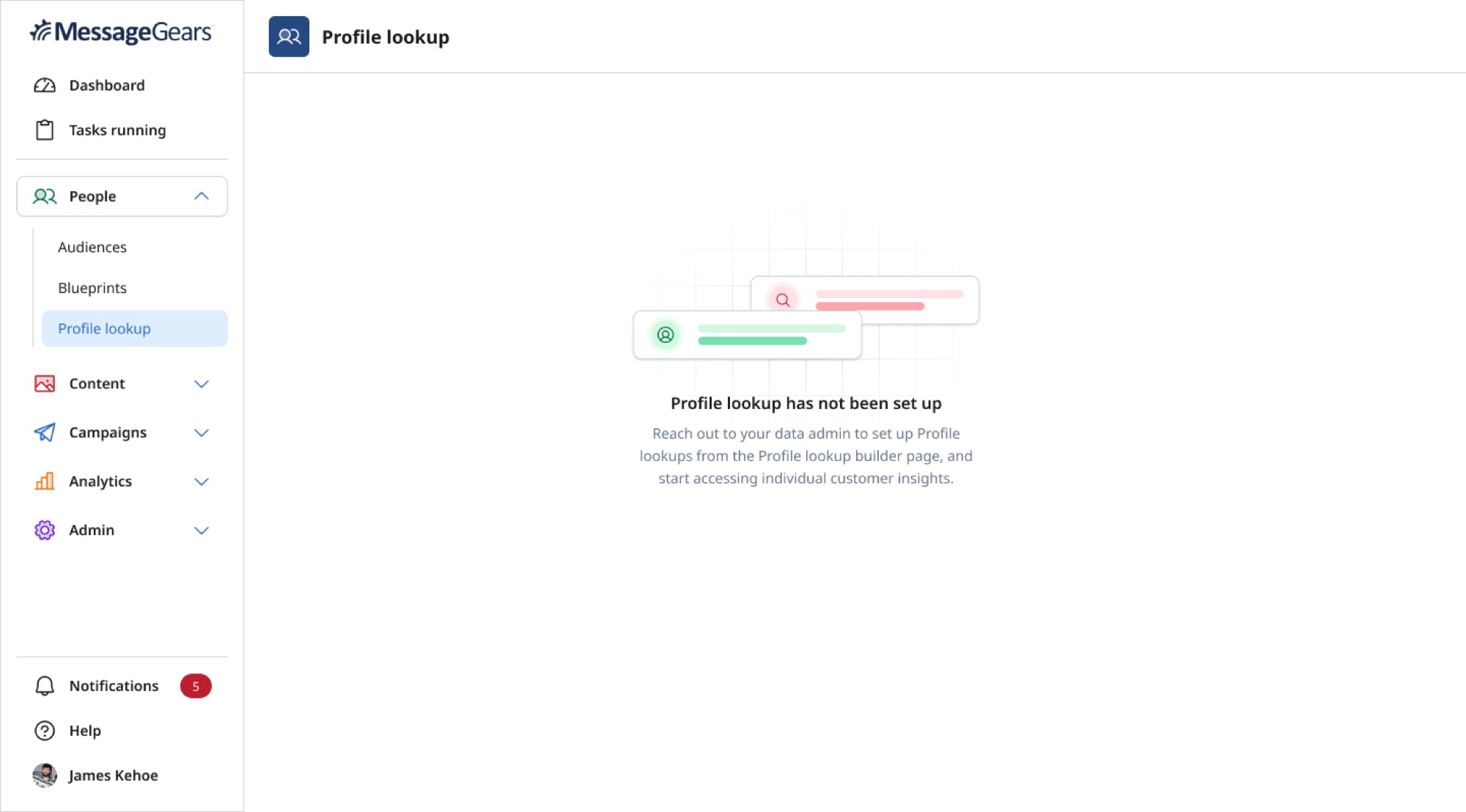
Marketers needed a fast, understandable way to look up a customer and review their activity.

Technical users needed something different: control over the data source, query logic, parameters, and fields behind that experience.

Profile Lookup began as a focused MVP for customer search and evolved into a more flexible system capable of handling ambiguous matches, richer customer profiles, and multiple levels of technical complexity.

Role
Senior Product Designer
Product
Enterprise MarTech SaaS
Focus
Product Strategy · UX Research · Customer Data · Dual-Persona UX
Users
Marketers · Data Admins · Technical Users
SearchProfile Lookup Builder with database connection and query configuration
ResolveMultiple matching customer profiles displayed for identity resolution
UnderstandExpanded customer profile with identity, attributes, engagement, and campaign history

The Challenge

The data was there. Getting to it was the problem.

The platform already contained customer data, campaign activity, identifiers, and behavioral history.

But users did not have one clear place to answer a simple question:

“What happened with this customer?”

For marketers, finding the answer could mean relying on a technical teammate.

For technical users, a basic search experience would not provide enough control over how customer data was retrieved.

The product needed to make routine lookup easier without reducing the flexibility required for more advanced use cases.

Core Question

How do you make customer data simple for marketers without making it simplistic for technical users?

The answer was not one compromise interface. The two users had different jobs, different mental models, and different definitions of what made the experience easy.

One data model.
Two levels of complexity.

Two Users, Two Jobs

One product. Two definitions of easy.

01

Marketer

Primary job: Find a person and understand their customer history.

  • Search using familiar identifiers
  • Find customers without SQL
  • Understand profile information
  • Review campaign activity
  • Troubleshoot customer questions
  • Reduce dependence on technical teams
02

Technical User / Data Admin

Primary job: Control how customer data is retrieved and presented.

  • Choose data sources
  • Configure lookup parameters
  • Define query logic
  • Work with SQL
  • Decide what customer information is returned
  • Preview results
  • Support marketer-facing lookup

Do not make marketers behave like database users.
Do not take database control away from people who need it.

Research

Studying how customer-profile products handled identity, attributes, and history.

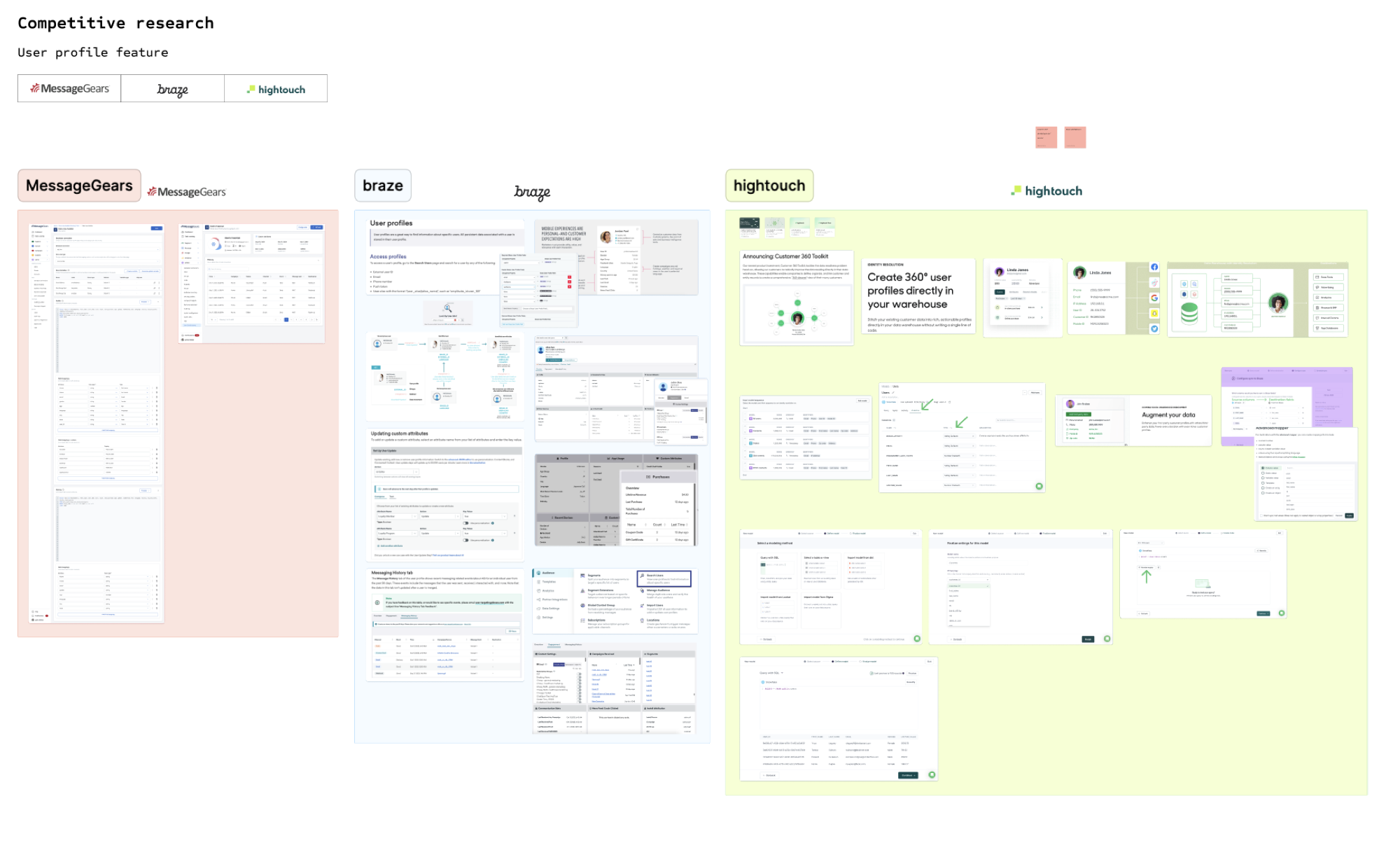
Competitive research looked at profile experiences across MessageGears, Braze, Hightouch, and adjacent customer-data products.

Competitive research comparing customer profile experiences across MessageGears, Braze, and Hightouch
Research focused on search behavior, identifiers, hierarchy, profile attributes, engagement history, technical configuration, and progressive disclosure.
  1. 01Search needed to be fast.
  2. 02The profile itself needed structure.
  3. 03Customer records could become large.
  4. 04Technical flexibility still mattered.
  5. 05Progressive complexity was the opportunity.

Product Strategy

Before designing screens, decide where the experience needs to split.

Separate the interaction complexity.
Share the underlying model.

MVP

Start with the smallest useful version of customer lookup.

The first version centered on a straightforward marketer workflow.

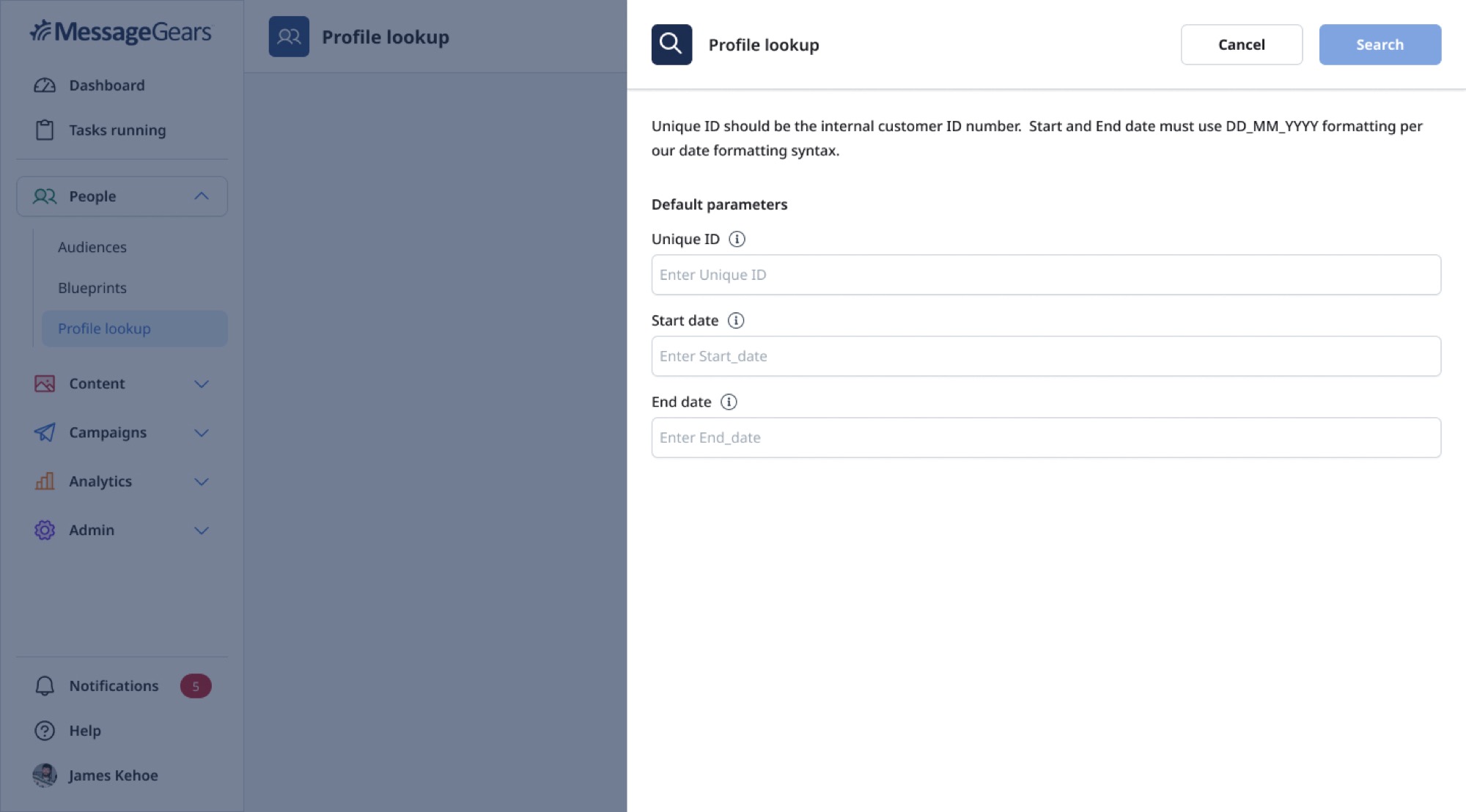
Users could search for a customer using a unique identifier and optional date parameters.

  • Required search parameters
  • Formatting guidance
  • The relationship between lookup and campaign history
  • The initial customer profile hierarchy
  • The technical configuration behind the marketer experience
Profile Lookup search drawer with unique ID and optional date parameters

Technical Workflow

Make the marketer experience simpler by giving technical users control somewhere else.

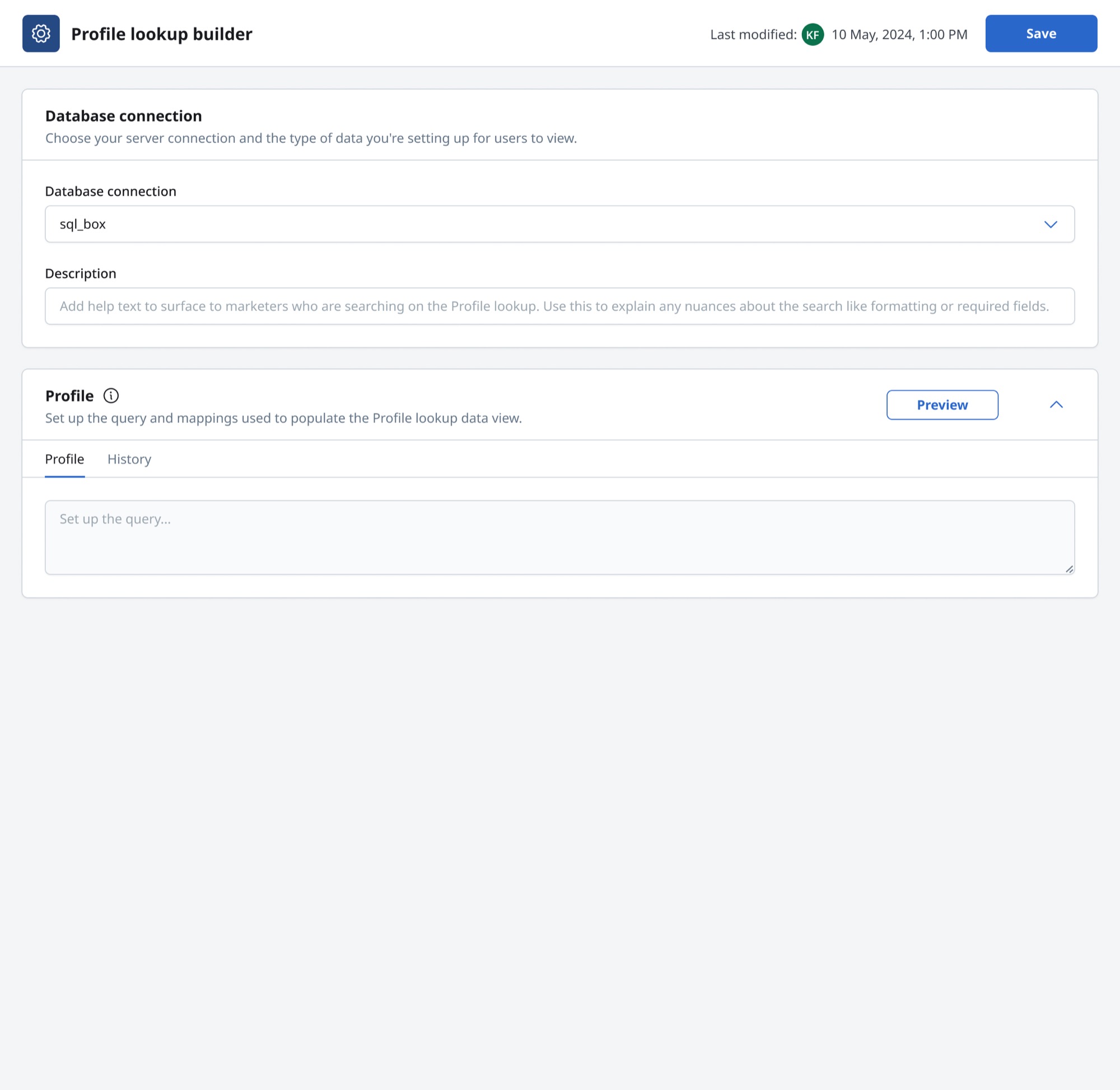
The Profile Lookup Builder gave technical users a separate environment for controlling the data behind the marketer-facing experience.

Technical Profile Lookup Builder with database connection, help text, query, history, and preview controls
Database connectionHelp textParametersSQLReusable syntaxPreview

The goal was not to hide complexity.
It was to put complexity where it belonged.

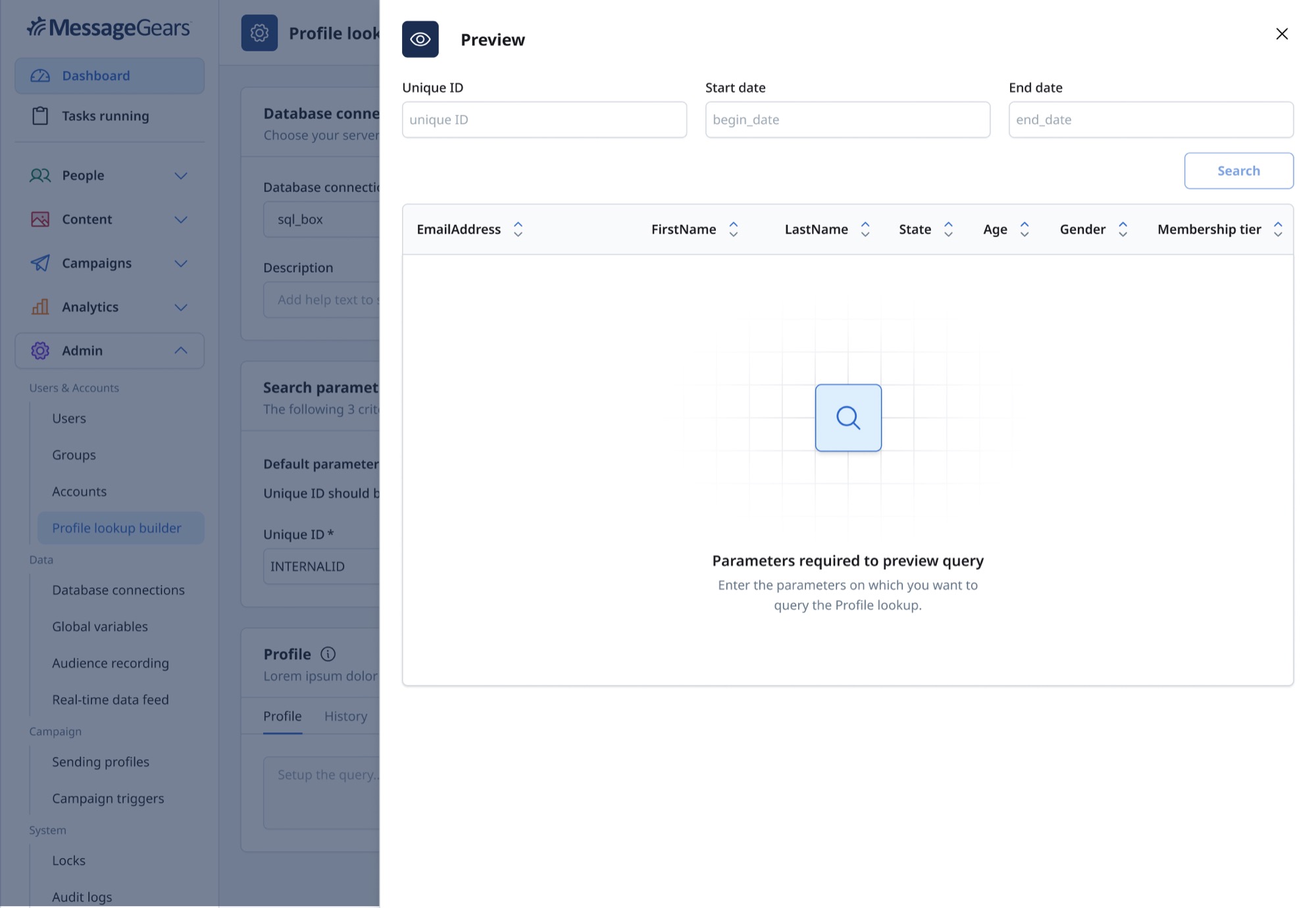
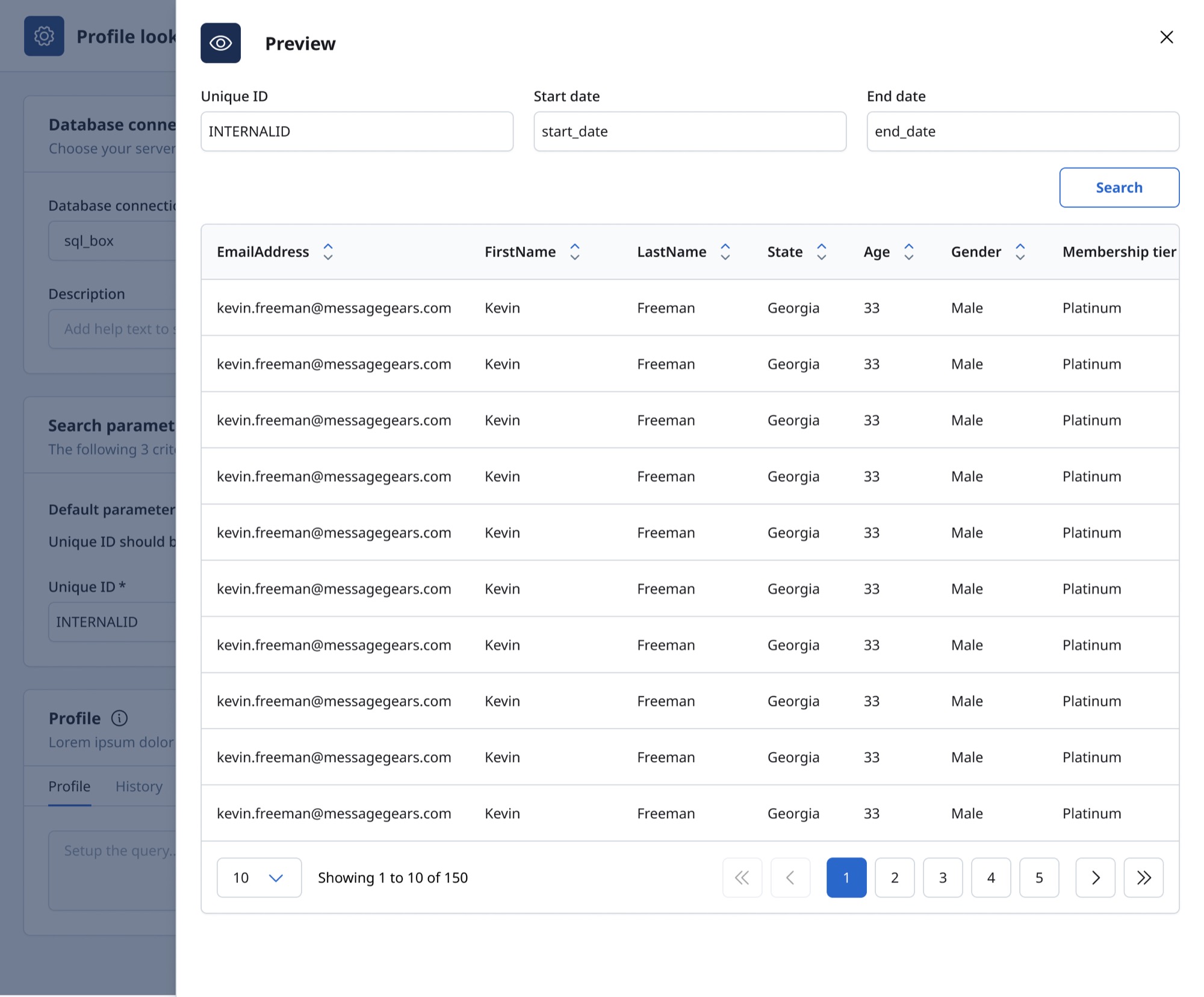
Profile Lookup Builder preview returning customer fields in a table

Validation

Configuration needed to be testable before marketers relied on it.

Technical users could preview the configured lookup and verify that the correct customer fields were being returned.

  1. Configure
  2. Preview
  3. Verify
  4. Save

Marketer Workflow

Find the person. Understand the history. Move on.

The marketer experience intentionally removed technical configuration from the primary task.

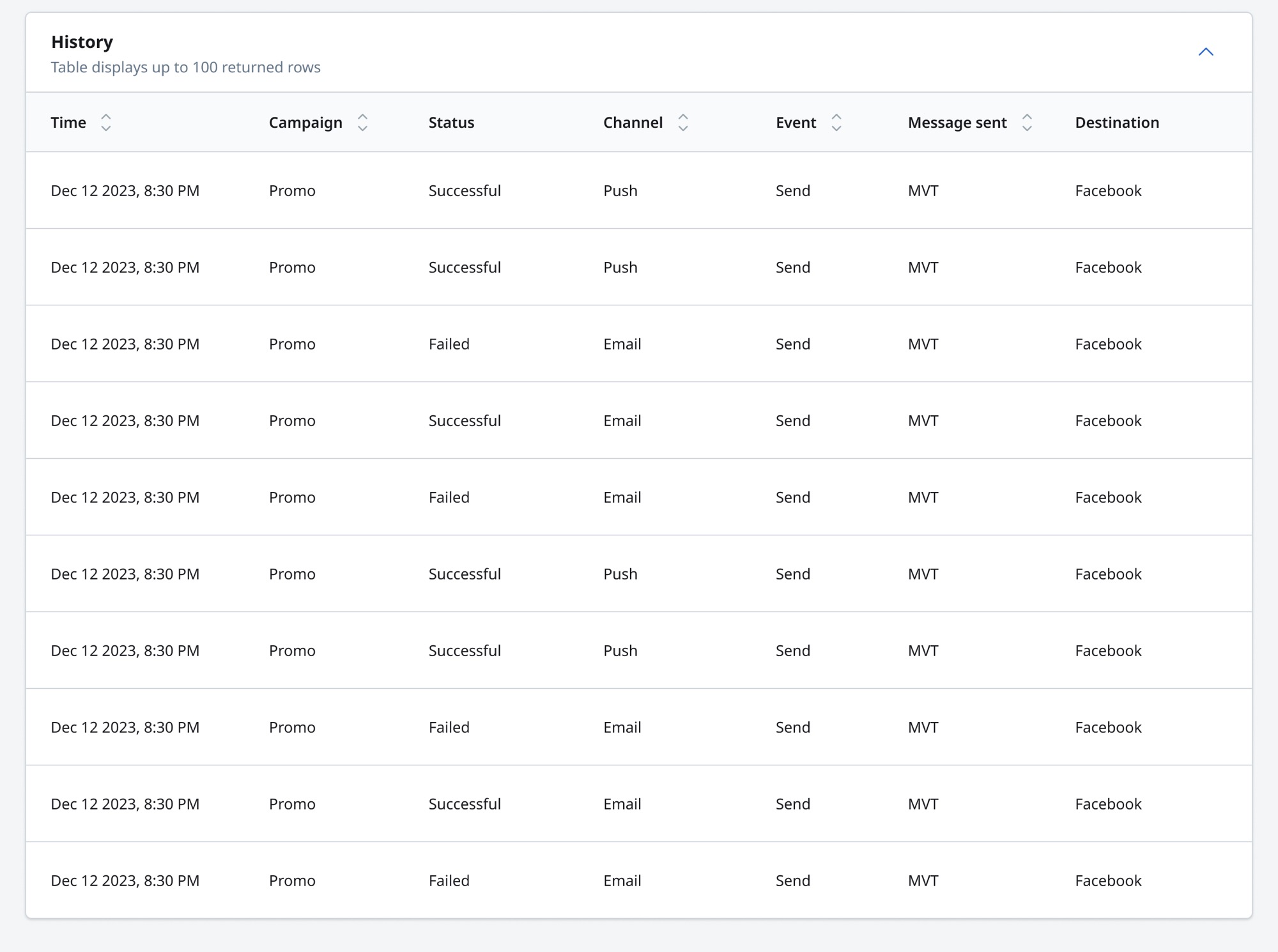
Once the customer was found, the interface surfaced identity and profile information first, followed by campaign history.

This allowed users to move directly from “Is this the right customer?” to “What happened with this customer?”

MVP customer profile history table showing campaign status and channel activity

Design Decision

Search gets users to the profile. Hierarchy helps them understand it.

01

Who is this customer?

Identity

02

What do we know?

Profile attributes

03

What happened?

Campaign history

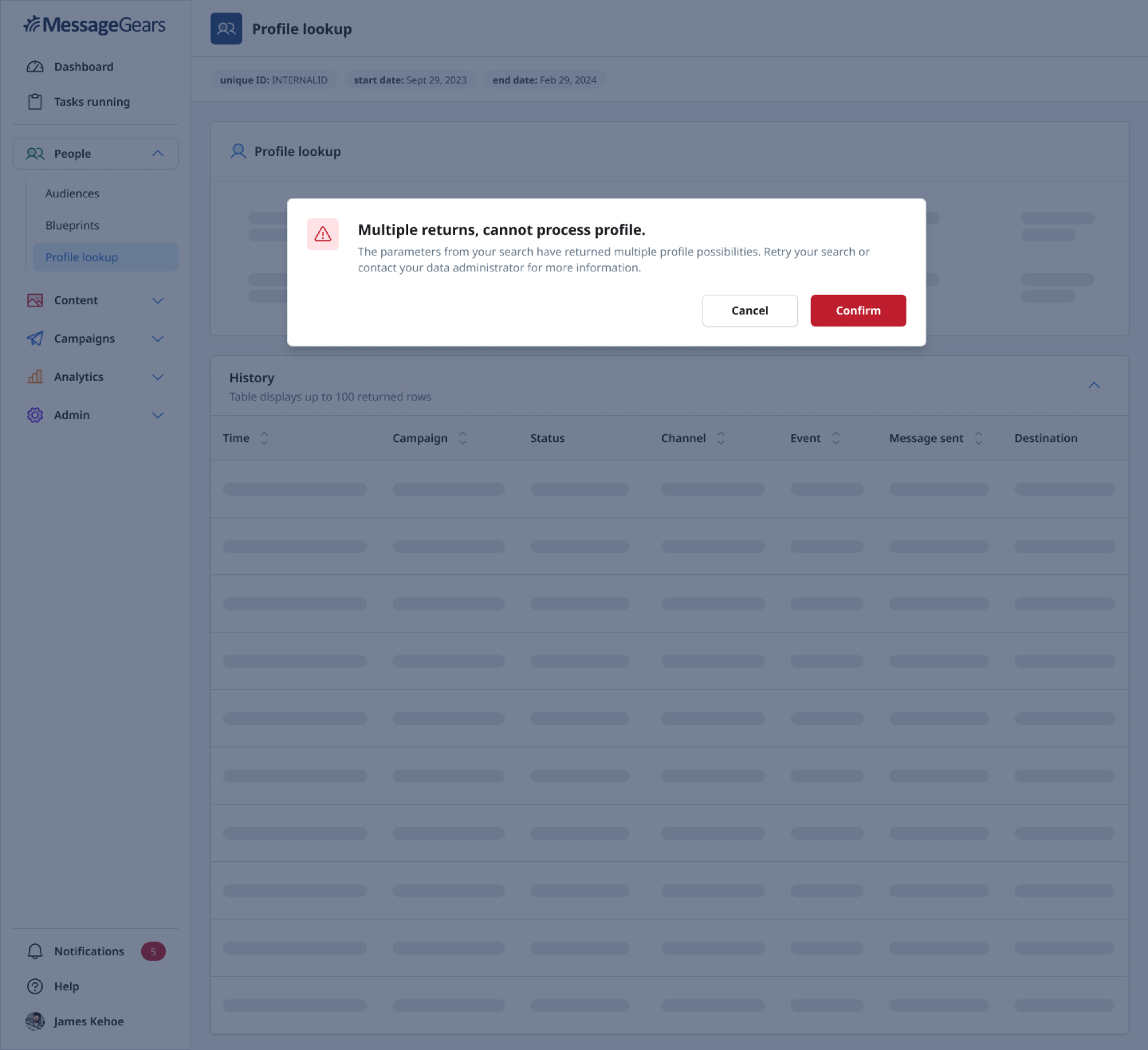
Profile Lookup warning that multiple records were returned and the profile could not be processed

Real-World Data

Then one lookup returned more than one person.

The MVP assumed search parameters would return a single customer. Real customer data introduced ambiguity.

A lookup could return several possible records. The original experience prevented users from continuing with the wrong profile, but it pushed the problem back onto them by requiring another search.

That exposed the next product problem.

New Product Question

What should happen when the system knows there is ambiguity but the user still needs an answer?

Customer identity can contain duplicate names, multiple identifiers, shared email addresses, old records, and partial matches. The product needed to help users resolve identity rather than pretending ambiguity did not exist.

Evolution

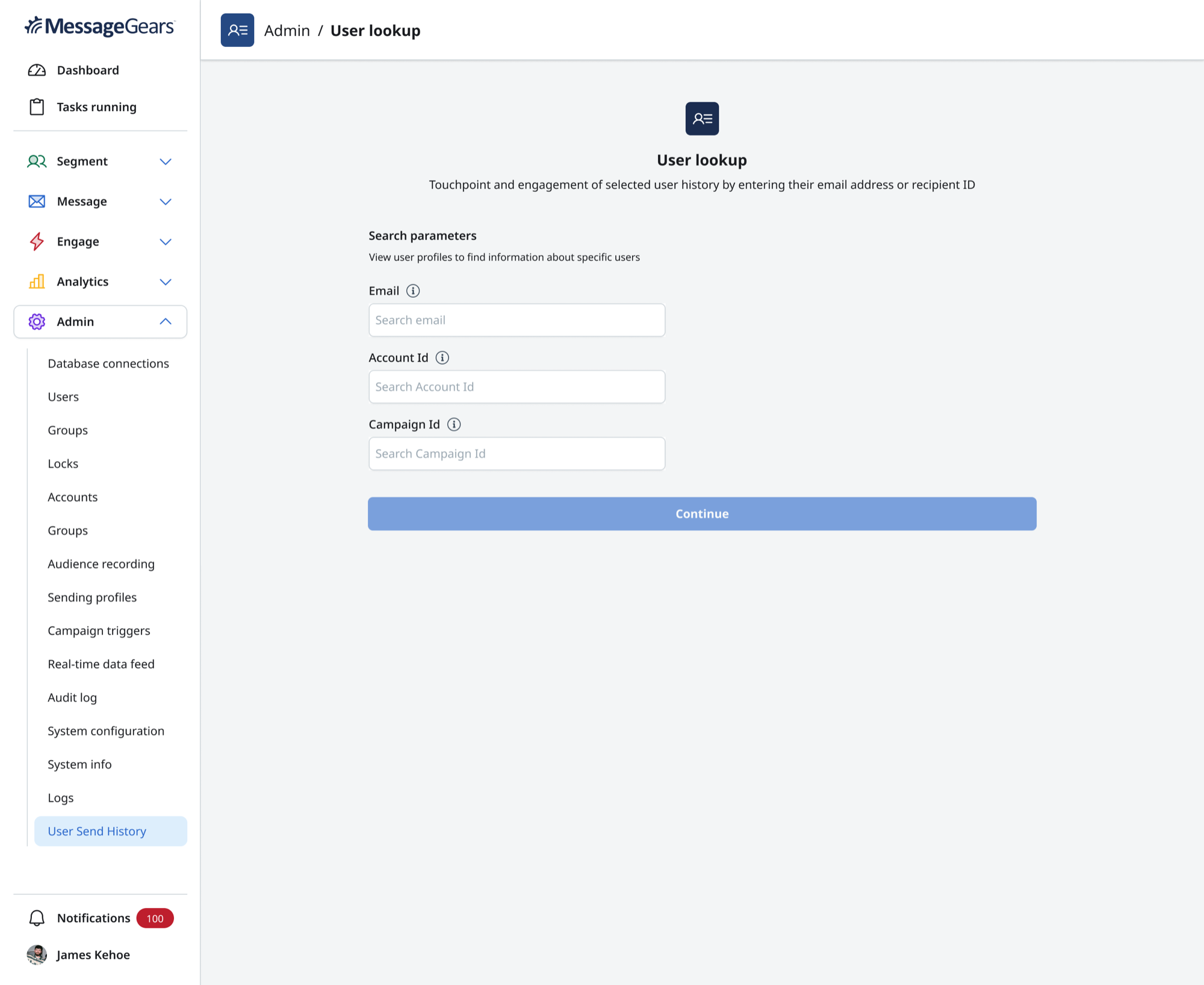
Give users more ways to narrow the search before choosing a customer.

The evolved User Lookup experience expanded search criteria to include:

  • Email
  • Account ID
  • Campaign ID

These parameters gave users more context and more control before the system returned customer records.

Expanded User Lookup search with email, account ID, and campaign ID parameters

Identity Resolution

Ambiguity became part of the workflow instead of an error.

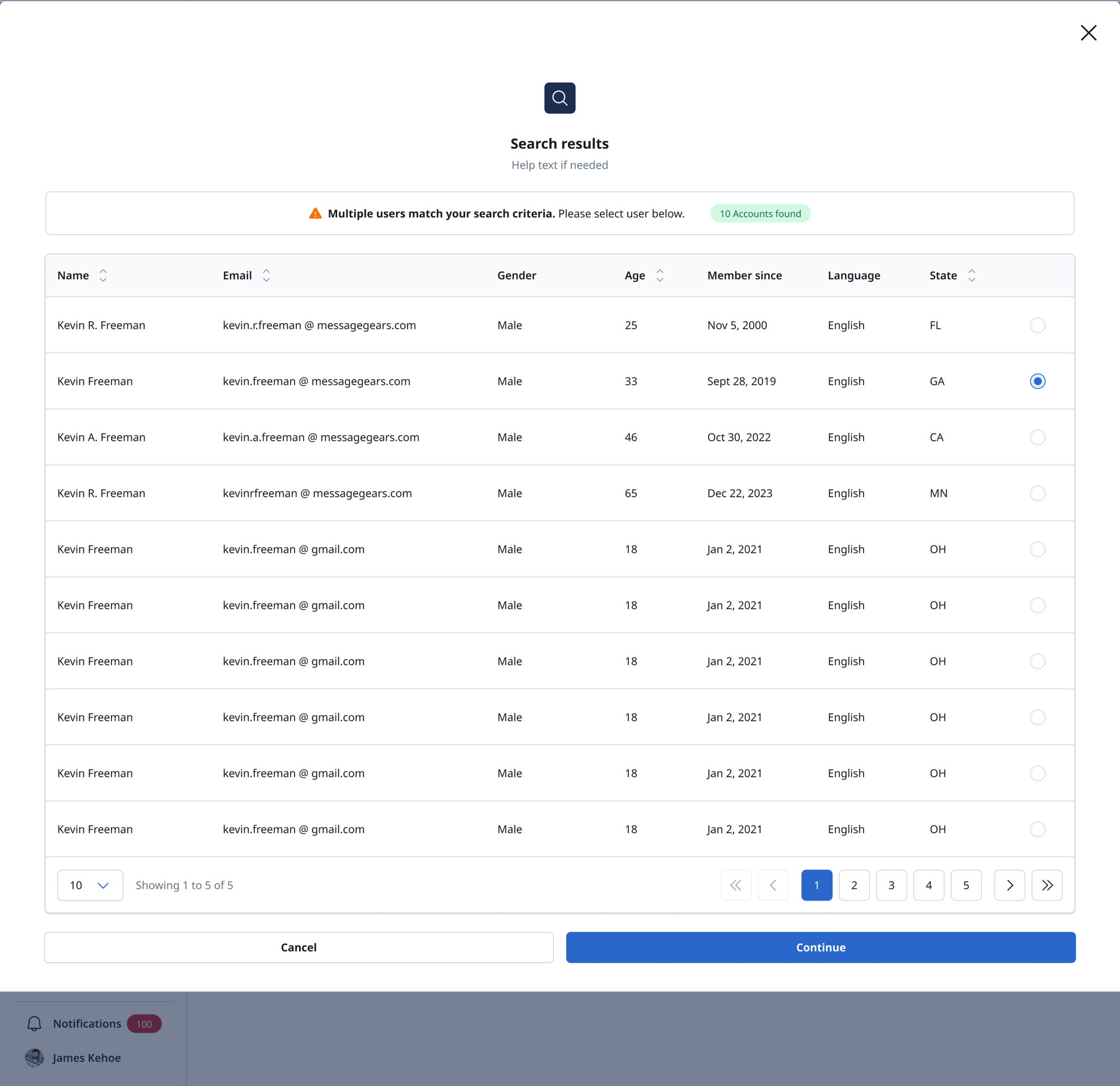
When several records matched the search criteria, the experience surfaced the possible customers rather than ending the task.

Search results modal showing multiple matching customers and a selected profile
NameEmailGenderAgeMember sinceLanguageState

Ambiguity should be visible
before it becomes a mistake.

Selected customer profile preserving prior search context and multiple-match status

Preserving Context

Resolving ambiguity should not mean starting over.

The workflow preserved the search context while users moved from multiple matches into a selected profile.

This turned ambiguity into a normal decision point instead of a dead end.

Customer Intelligence

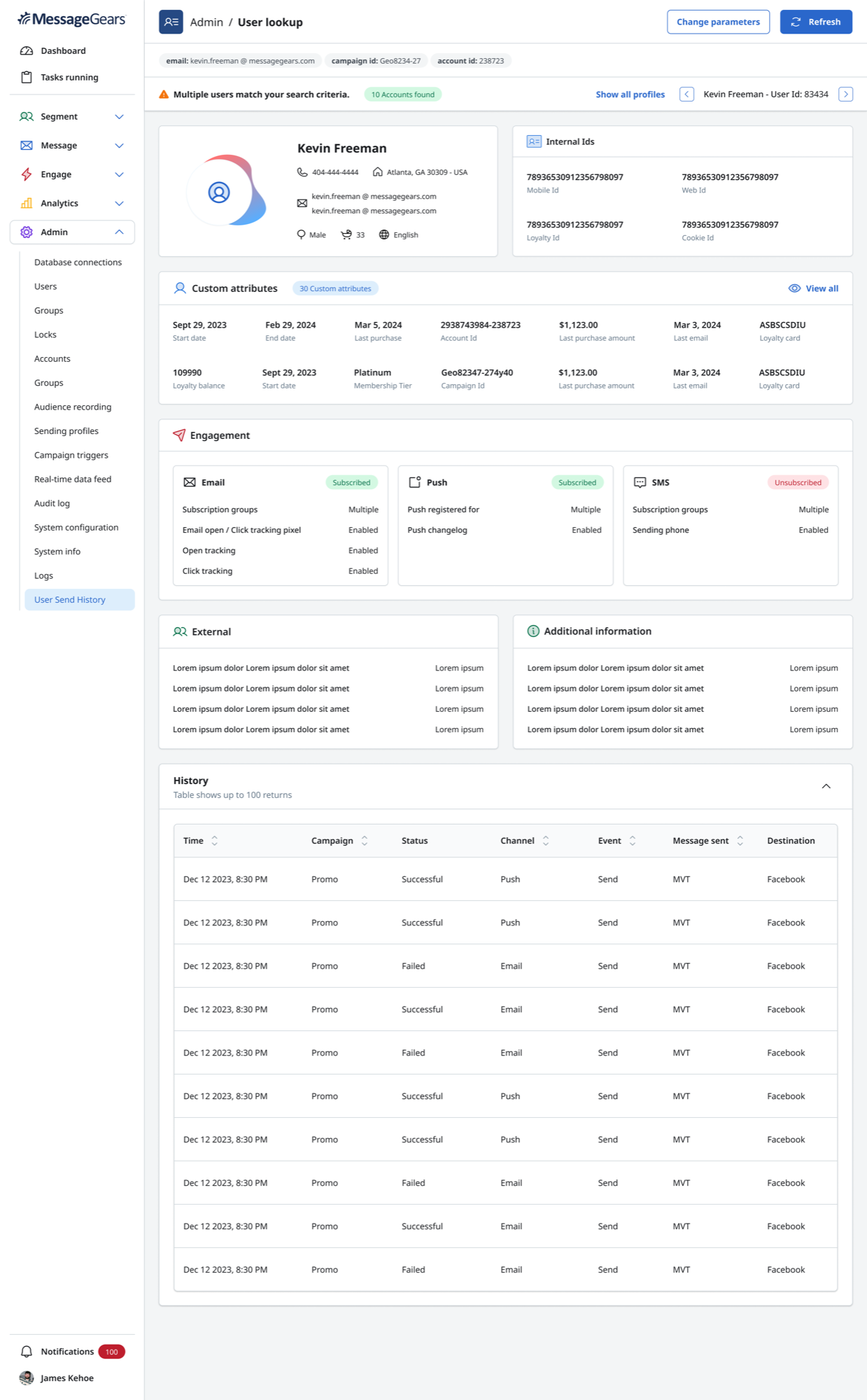
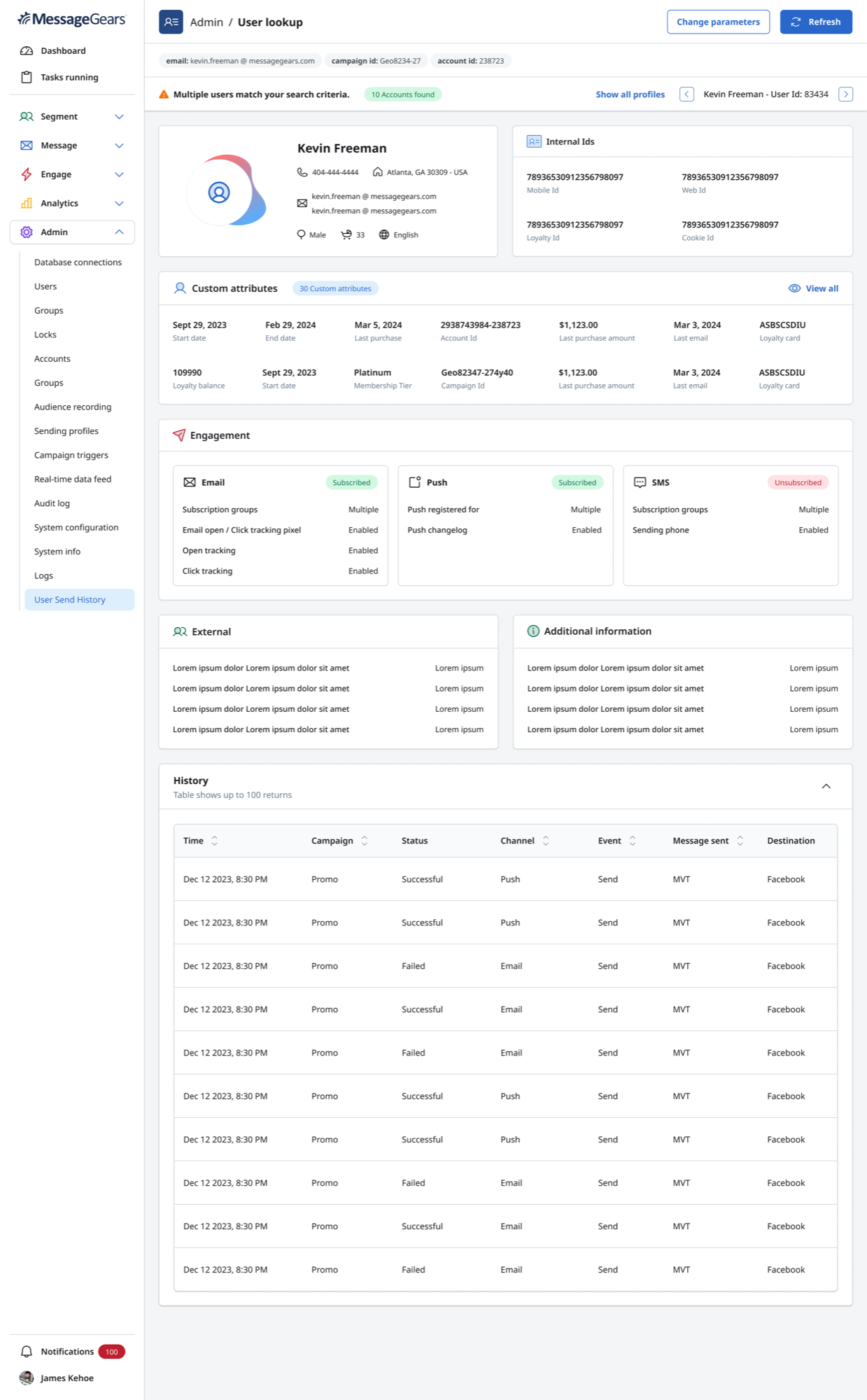
Once the right person was found, the next challenge was understanding a much richer customer record.

The expanded profile organized customer information into meaningful groups.

Expanded customer profile with identity, internal IDs, attributes, engagement, external data, and history
Identity
Who is this person?
Internal IDs
How does the platform recognize them?
Custom Attributes
What customer-specific information matters?
Engagement
How can the brand currently reach them?
External
What other systems contribute context?
Additional Information
What supporting customer data is available?
History
What campaign activity has occurred?

The experience evolved from profile lookup toward customer understanding.

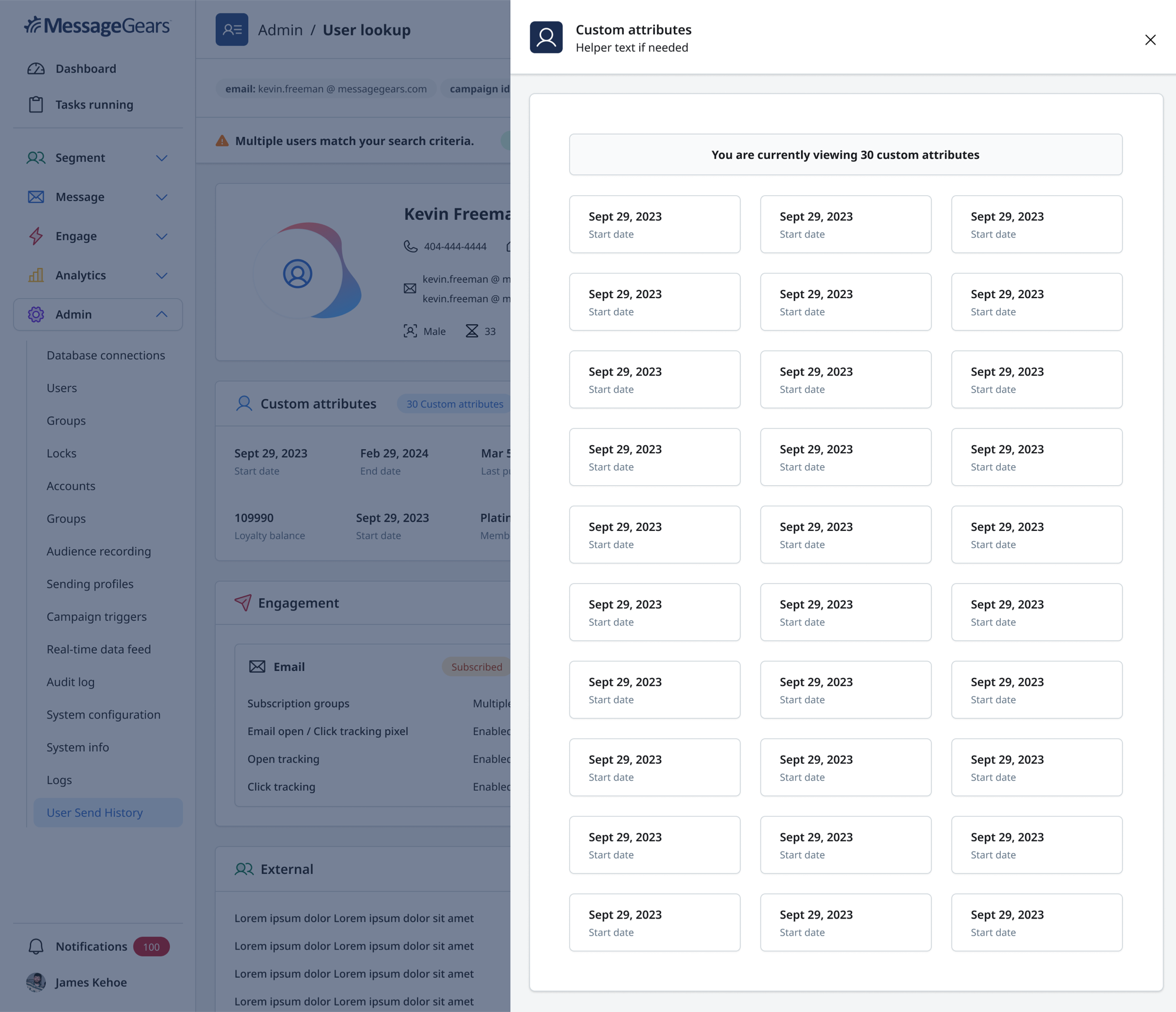
Information Density

A customer could have far more data than one screen should display.

Profiles could contain dozens of business-defined customer attributes. Showing every field on the main profile would make routine scanning difficult.

The design surfaced a useful subset and allowed users to inspect the complete attribute set when needed.

Prioritize what helps users understand the customer. Make the rest available without making it dominant.

Custom attributes side drawer showing a large set of customer-specific fields

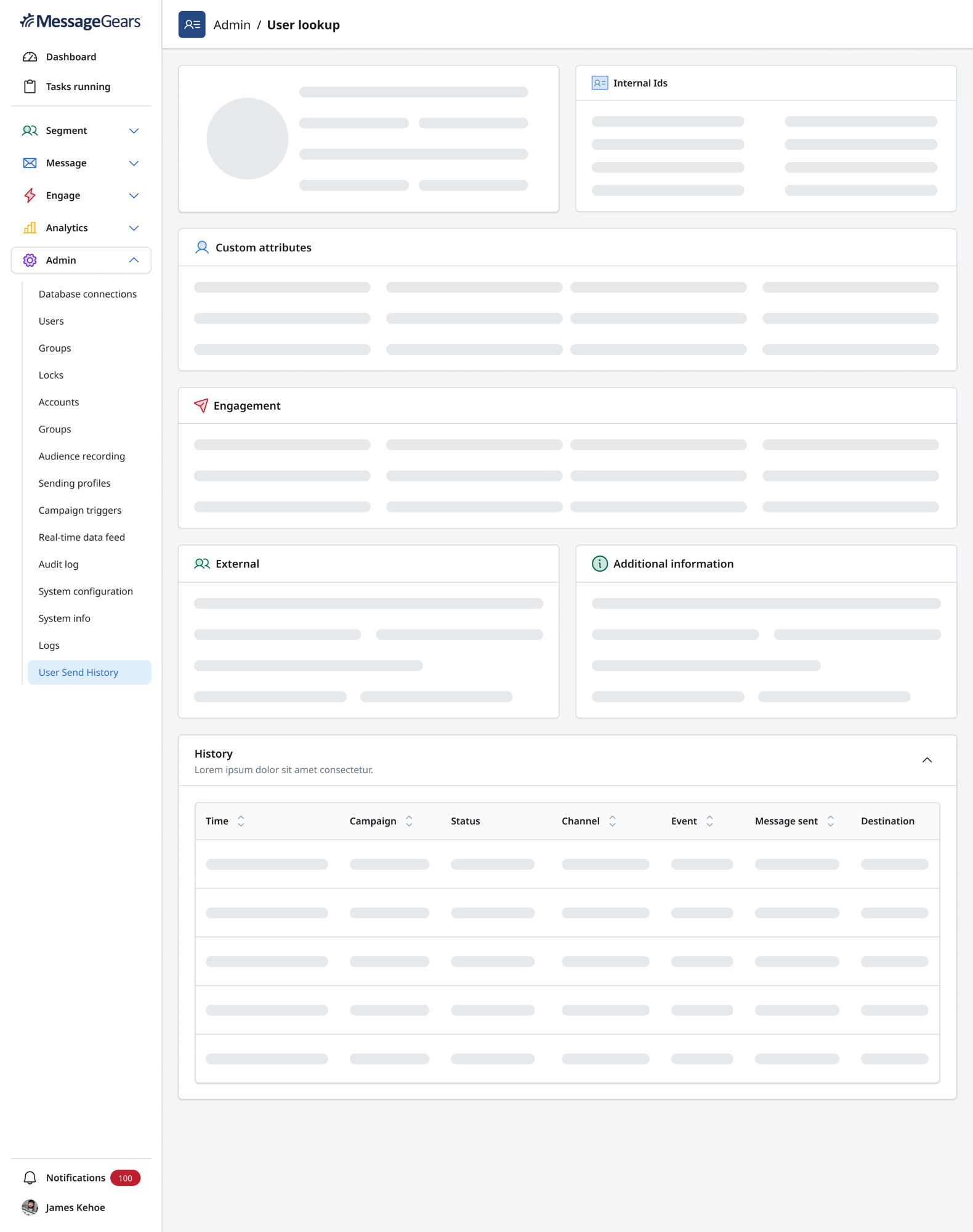
System States

The experience also had to explain what the system was doing.

If the system is waiting, searching, missing information, or uncertain, tell the user.

No parametersLoadingMultiple matchesSelected profileMissing information

Key Design Decisions

Where the product became clearer.

01

Separate marketer and technical workflows

Marketers needed speed. Technical users needed control.

02

Keep profile and history together

Finding the customer was not enough. Users needed context around campaign activity.

03

Treat multiple results as a decision

Do not hide ambiguity or choose a customer automatically.

04

Put complexity behind the routine task

SQL and data configuration are necessary, but not part of everyday marketer lookup.

05

Design for customer-data scale

Make the primary profile scannable while preserving access to deeper data.

Cross-Functional Work

The design had to align user intent with data behavior.

I partnered with Product, Engineering, stakeholders, and design peers to align:

  • Customer requirements and search identifiers
  • Data constraints and query behavior
  • Multiple-return logic
  • Customer information hierarchy
  • Campaign history
  • Technical feasibility
  • Design-system consistency
  • Edge states

Why It Mattered

This was more than a convenience feature.

Profile Lookup addressed an enterprise capability gap while creating a broader customer-data foundation.

  • Customer troubleshooting
  • Marketer self-service
  • Richer customer context
  • Advanced technical configuration
  • Enterprise customer requirements
  • Future customer-intelligence workflows

Outcome

From profile search to customer understanding.

Profile Lookup evolved from a focused MVP into a broader system for finding, validating, selecting, and understanding individual customers.

  • Gave marketers a more direct path to customer information
  • Preserved technical query control
  • Connected customer profiles with campaign history
  • Accounted for ambiguous identity
  • Supported richer customer attributes and channel engagement
  • Created a scalable structure for customer intelligence

The important outcome was not simply a new profile page.
It was a clearer relationship between customer data, customer identity, and customer history.

Reflection

The strongest solution did not eliminate complexity. It put complexity in the right place.

Users should not need to understand a product's technical architecture to complete a routine task.

But advanced users should not lose necessary control simply because another persona needs simplicity.

Profile Lookup became stronger when the product stopped trying to make everyone use the same workflow.

Simplicity by default.
Depth when needed.
Ambiguity made visible.

Working through a complex product problem?

Bring us the messy version.

Whether you're shaping a new SaaS product, improving an enterprise workflow, or trying to make complex data easier to use, All Hatched can help turn complexity into a clearer product direction.